Lesson 3 - Frogs and Scratch Shark Attack
Frogs and Scratch Shark Attack Lesson
| Lesson number | Step by step instructions | Dropbox video link | Teacher resources |
|---|---|---|---|
| Lesson 2a | #Learn how to Troubleshoot a Raspberry Pi on Startup | 
|
Audio recording of classroom lesson MP3 |
| Lesson 2b | #Red-rumped Parrots and Kangaroo Grass | 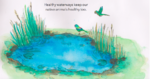
|
|
| Lesson 2c | #Scratch Shark Attack Game | 
|
Scratch Shark Attack Game
- Open Scratch.
- Click on the scissors tool and delete the cat

- Click on New Sprite

- Click on the Animals folder

- Choose Shark1-a

- Click on the shrink tool and shrink the shark.

- Click on the Costumes tab.
- Select Import to add another Shark costume to create an animation.

- Add Shark2-b and click on OK.

- Now you will have two shark costumes.

- Click on teh Scripts tab.
- Create the following code block.
- Use the new motion block named point towards

- Click on the dropdown arrow in the point towards block.
- Select mouse pointer
